Still using demo version? Buy license to upgrade now.
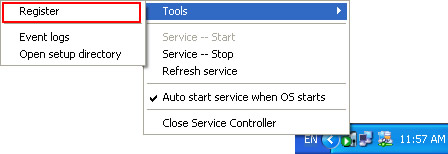
1. On the server's desktop, right-click SurveilStar Service Manager icon > Tools > Register.
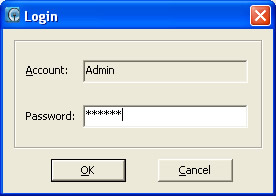
2. Input administrator password to log into the registration interface.
In the Serial Number section, you will see the default SN for demo version. You should replace the demo SN with the SN you purchased.
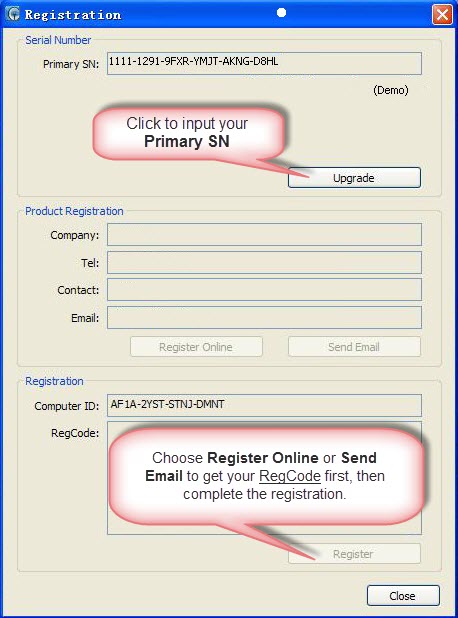
1. Click the Upgrade button, the Primary SN text field becomes editable. Copy and paste your SN.
Note: SurveilStar offers 30-day trial for enterprises to experience the software. In the demo version, you will see the days left for trial use, and the serial number for the demo version.
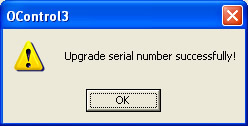
2. Click Confirm button to confirm the serial number. If the input serial number is correct, a message will show up like this one:
There are two options to complete the registration: Register Online and Send Email.
Please fill in the product registration information with Company Name, Tel, Contact Person and Email Address.
1. Register Online. Click Register Online button, then the Register Code will be returned and displayed in the Register Code [Regcode] field. And the product registration will be processed automatically.
2. Send Email. Click Send Email button, then email will be sent to your registered email address with Register Code. Please copy and paste the Code into Register Code [Regcode] field, then click Register button to confirm the registration.
Please Note:
1. The Email Address is very important. If you need to re-register in the future, new Register Code [Regcode] will be sent to the first registered email address.
2. If your server cannot connect to Internet or other reasons, please email us with your Serial Number [SN] and Computer ID, we will help you process the registration individually. SurveilStar Support Email: support@surveilstar.com.
If you are a registered user and now purchase license upgrade for monitoring more computers, please simply repeat the steps above to upgrade license.
Please note: If you want to upgrade a registered license, please make sure you choose SurveilStar License Upgrade purchase option in our Buynow Page.
| Uninstalling SurveilStar Server, Console or Agent | Back to Index | Upgrading SurveilStar to Latest Version |